
ImTOO DVD Ripper

If we want to move the old DVDs on our hard drives we need a reliable DVD ripper software. There are a lot of software which are good for grabbing the content from DVDs and CDs but my favorite is called ImTOO DVD Ripper.

ImTOO DVD Ripper thumb ImTOO DVD Ripper

I have used an earlier version a few months ago when I copied some DVDs. The newest version claims to be 5 times faster because it is fully compatible with NVIDIA CUDA technology/AMD APP technology offering substantial improvement in performance when encoding/decoding videos.

I like this software because:

  • it is fast
  • it supports all the formats that I need. It knows (AVI, MPEG, WMV, MP4, H.264/AVC, RM, MOV, XviD, 3GP, FLV, VOB, ASF, and DV) or audio (MP3, WMA, WAV, RA, M4A, AAC, AC3, and OGG) formats
  • it rips DVD to HD video

Plus you can choose different video effects, add subtitles and soundtracks.

Making a movie the way you want it is easy with this DVD Ripping program. The interface is clean and simple and getting & editing videos is a super simple task.

Also the new version makes DVD movies playable on devices such as iPod, iPhone 3G, iPhone 3GS, iPhone 4, Apple TV, PSP, PS3, BlackBerry, iRiver PMP, Windows Mobile phone, Xbox, mobile phone, NDS, Wii, and many others.

Pricing

The standard edition of this program for ripping DVDs is less than $40 and this version is good for the home video creator. For advanced users there are versi9ns which offer more functions. 

Dealing With Virus-Damaged Registry

Registry problems can be a true nightmare for computer owners. If you spend any amount of time browsing online, you may have encountered malware that targets your computer’s registry. When this sensitive area of a PC is damaged, your computer may begin to encounter several different issues, and software may stop working entirely. Furthermore, when malicious entries are added to the registry, malware has the opportunity to run in the background on your machine, which can lead to a whole host of different issues.

The computer’s registry contains information about all of the software programs on a particular machine. The preferences, settings, and data for these programs is located in different entries, all of which specify when a specific application should run. For example, if you choose to have a software program run when the computer starts up, a corresponding entry will be found in the computer’s registry.

Malware targets the registry by creating false entries that trick your system into believing it is a legitimate program. This will in turn cause the unwanted software to run without the computer owner’s knowledge. Malware is capable of causing several different problems for the PC user, including data corruption and massive amounts of spam. Even more frightening, many malware applications include keyloggers that transmit your keyboard entries to a third party, in turn giving an outsider access to sensitive details like your usernames and passwords. If you use your computer to check your online banking or manage your credit cards, hackers could potentially use this information to steal your identity.

Correcting problems within the registry is also a major challenge, as it is not particularly easy to sort through the different entries and remove malicious threats. Many users who attempt to complete this process on their own end up damaging other software on their computer, by inadvertently deleting important files from their machines. Because this is such a sensitive area of the computer, it is advisable to find outside help to manage your registry.

Another option for sorting through registry problems is to purchase a registry cleaner. A registry cleaner will analyze the database, eliminating redundant entries and deleting problematic files. This process will not only allow your computer to run free of viral infection, but it will also likely improve the performance of your machine, causing fewer crashes and more efficiency when completing tasks that tax the computer’s memory.

While malware that targets the computer’s registry is certainly a frustrating problem to resolve, fortunately it is possible to remove these threats by using the tools available. It is important to always verify the identity of the developers from whom you purchase any applications that are intended to rid your computer of malicious files, in order to prevent any additional malware from being installed on your machine. Furthermore, all computer owners should be certain to install a dedicated antivirus application on their system. This will ensure that all of the content downloaded on your machine is free of any unwanted files, and keep your system properly secured at all times.

Author’s bio

Jesse’s experience and useful recommendations will help you clean registry, speed up computer and keep it in a good shape since then! Stay tuned for more tips soon!

Then new BlackBerry PlayBook promises an entertainment experience like no other.

BlackBerry PlayBook BlackBerry PlayBook An Entertainment Experience Like No Other

BlackBerry PlayBook comes with HD video, HD display, rich stereo sound and it is ready for hardcore gaming.

PlayBook main features and specs:

  • 1 GHz dual-core processor
  • Blackberry Tablet OS
  • Full Adobe® Flash® 10.1 enabled
  • 3G/WiFi/Bluetooth
  • Dual HD video cameras

Multi media

This Tablet PC was created to deliver a great multi media experience. Capture, stream and share music, videos and pictures, plus stay in contact with family and friends.

Multitasking

The PlayBook features simultaneous multi tasking and you can switch between them easily.

Internet

You will like the browsing experience offered by BlackBerry PlayBook. It has built-in support for HTML 5 and Adobe Flash 10.1 enabled.

Portability

The main advantage of using a tablet PC is the ultra portability. The PlayBook is ultra thin and ultra light (425g).

Pricing and availability

The BLACKBERRY P100-64WF PlayBook Tablet PC – 64 GB price tag is £559.00 and it is available at Dixons.co.uk.

Full HD nature videos

If you want to create a relaxing atmosphere in your home you can download full HD nature videos. Nature is the most talented painter, sculptor and poet in the universe and the nature HD films can help your relax and enjoy life.

These films are perfect for romantic dinners and yoga and meditation.

HD nature video

The videos offered by  LoungeV creative studio (http://www.loungev.com) are produced in 1080i full HD format with 5.1 Dolby surround sound. 

These relaxing videos and HD films show natural wonders and beautiful landscapes such as beaches, waterfalls, forests, lakes, mountains, underwater life. The sound is 5.1 Dolby surround so it is a real pleasure to watch them.

The equipment suppliers for LoungeV films is http://www.modernights.com/.

Download

You can get short clips for free for personal use by accessing the  HD video download page. Use the movies to create a natural oasis wherever you are.

There are several formats for download:

  • the short clips are Quicktime MOV format compatible so they can be used on both PCs and Macs
  • the full version films are available both in Blu-ray folder structure and in MP4 format.

The videos can be used:

  • To create a personal relaxing oasis in your home
  • To encourage creativity and diminish stress in offices
  • To reduce boringness in waiting rooms
  • To demonstrate the capabilities of home theaters, LED, LCD and Plasma TVs and sound systems in electronics shops.

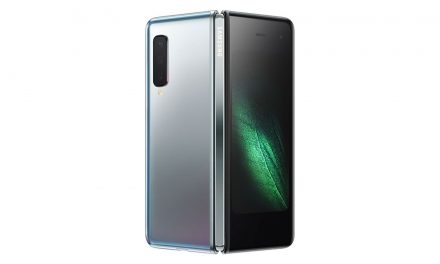
The New 4G Samsung Galaxy Tab 10.1

The new 4G Samsung Galaxy Tab 10.1 is out with Verizon Wireless 4G LTE imbedded inside the sleek case.

image thumb The New 4G Samsung Galaxy Tab 10.1

Hardware

This tablet has a robust NVIDIA Tegra-2 1 Ghz dual-core processor with 1GB of RAM and a gorgeous IPS display. Add in 16 GB of internal storage upgradeable to 32GB, a pair of nicely placed speaker grilles on the top of each side, a 3MP rear camera and a VGA front camera for voice chat, and you’ve got a great package. On the down side, much like an iPad, the Galaxy Tab 10.1 has only a docking/charging port – there are no HDMI, SD or USB ports.

Price

This Samsung tablet costs $100 or so less than the iPad equivalents, but you will pay more for the required two-year data plan — the Verizon 4G plan works out to about $5 more a month than the AT&T/iPad plan.

Software

This Samsung device comes with "Honeycomb," Android 3.1 optimized for the tablet. The current release of Android is 3.2 and there’s no indication of when or if the tablet might be upgraded. On the other hand, Adobe Flash, lacking on the iPad, is included.


Speed

If you compare mobile broadband speeds across multiple devices, you will find they vary depending on a few factors, mainly your location and the provider you have. In our tests, the Verizon wireless 4G LTE performed consistently, averaging over 7000 kbps downloading and over 1000 kbps uploading.

Connectivity

When you lose your 4G connection, the tablet automatically switches to lower-speed 3G, but not without some sync and delay problems. There is a setting to keep the speed at 3G/CDMA so there’s no interruption when you’re watching a movie, but that means you’re stuck at the lower speed.

Battery

Battery life is fantastic. With a 7000 mAh battery, the Galaxy Tab 10.1 running WiFi can keep going for two days without a recharge. If you use mobile broadband to play games, browse the web, watch videos and stream music continually, you’ll find hours and hours of battery life. If you pick up the Galaxy Tab 10.1 up every so often to use and then put it down throughout the day, you’ll get three or four days of battery life.

Appearance

The 4G Samsung Galaxy Tab 10.1 looks great and is solid competition to the iPad — the experience of using the Galaxy is one of the best over the entire range of tablets. Quality and design work together here to create a device that is useful, fun and great to look at. It’s super-thin and super-light, making it very easy to hold; the screen is sheer joy.

Evaluation

In conclusion, the Galaxy Tab 10.1 is simply the best tablet experience around and the speed of Verizon 4G LTE adds to the functionality. There are some trade-offs, the most obvious being the lack of dedicated ports, but Samsung carries a wide line of accessories that can be plugged into the 30-pin port on the bottom to add whatever feature you need — for example, you can get an adapter that will let you send the movie you’re streaming via 4G to your wide-screen TV via HDMI.
The 4G Samsung Galaxy Tab 10.1 is a great product and well worth the price, especially when you consider the hardware is cheaper than the iPad and the required data plan is not that much more than AT&T’s plan for the iPad.

Blake Sanders is a tech writer at broadband comparison site Broadband Expert. Blake specializes in industry news and information and provides insights for those looking to compare mobile broadband providers.

Note: Photo courtesy of cmmorrison via FlickR Creative Commons.

 Page 9 of 436  « First  ... « 7  8  9  10  11 » ...  Last »